
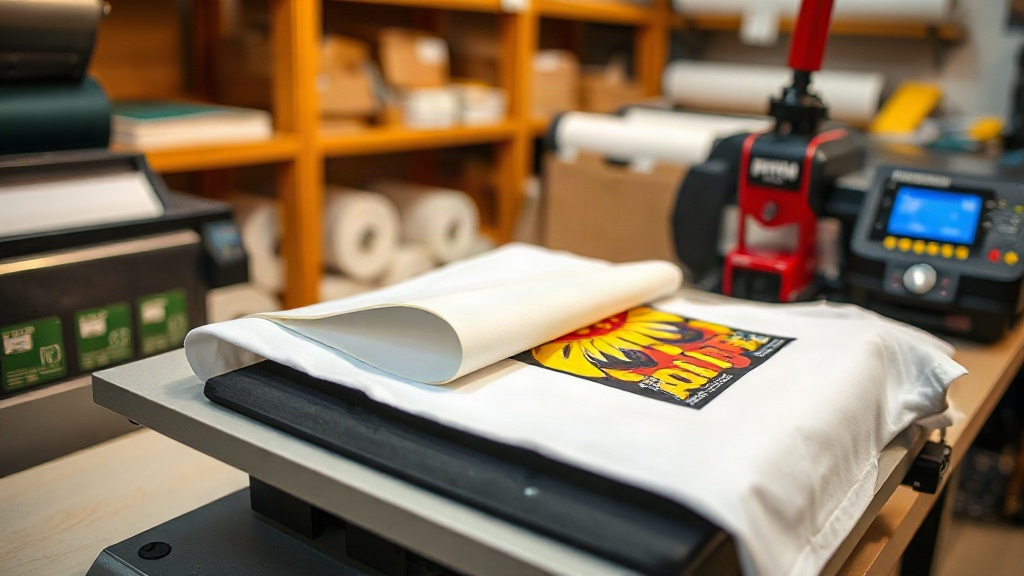
Imagine pressing a vibrant, full-color design onto a cotton tote bag or a polyester jersey without worrying about the fabric composition. That's the promise of DTF transfers, a digital printing technology that has taken the custom apparel world by storm. Unlike traditional methods that require specific fabrics or complex setups, DTF transfers offer a versatile, accessible solution for creators and businesses alike.
What Are DTF Transfers?
DTF stands for Direct-to-Film. In this process, a digital printer deposits a layer of specialized ink onto a PET film, followed by a layer of hot-melt adhesive powder. The film is then cured, and the design is ready to be heat-pressed onto a garment. The adhesive bonds the ink to the fabric, creating a durable, stretchable print.
What sets DTF transfers apart is their ability to adhere to a wide range of materials, including cotton, polyester, blends, and even leather. No pre-treatment is required, and the prints have a soft feel with excellent washability.
Why Choose DTF Transfers Over Other Methods?
If you've explored screen printing, vinyl cutting, or DTG, you know each has limitations. Screen printing is cost-effective for bulk orders but impractical for small runs or complex designs. Vinyl is great for simple shapes but struggles with gradients and fine details. DTG works well on 100% cotton but can look faded on synthetics.
DTF transfers bridge these gaps. They handle intricate, multi-color designs with ease, and because the adhesive bonds to virtually any fabric, you can print on dark colors, stretchy materials, and even hard-to-print items like canvas shoes or backpacks. Plus, the setup cost is minimal; you only need a DTF printer, film, powder, and a heat press.
Key Benefits at a Glance
- Versatility: Works on cotton, polyester, blends, leather, and more.
- No weeding: Unlike vinyl, there's no tedious cutting and weeding.
- Vibrant colors: White ink underbase allows bright prints on dark fabrics.
- Durability: Prints withstand repeated washing without cracking or fading.
- Cost-effective for small batches: No minimum order quantity.
How to Apply DTF Transfers: Step-by-Step
Applying a DTF transfer is straightforward, but following the right steps ensures a professional finish. Here's a reliable method:
- Preheat the garment: Set your heat press to 325°F (160°C). Prepress the garment for 5-10 seconds to remove moisture and wrinkles.
- Position the transfer: Place the DTF film on the garment with the printed side facing up. If your design has a white underbase, it will be visible.
- Press: Apply medium pressure for 15-20 seconds. Use a heat press, not an iron, for consistent results.
- Peel: Wait for the transfer to cool completely (cold peel) before slowly peeling off the film. Some films are hot peel; check your supplier's instructions.
- Post-press (optional): For extra durability, cover the print with parchment paper and press again for 5-10 seconds.
After peeling, you'll see a bright, detailed print that stretches with the fabric. If any part lifts, simply re-press for a few seconds.
Common Challenges and How to Troubleshoot
Even with a reliable process, issues can arise. Here are solutions to frequent problems:
Print Cracking or Fading After Wash
This usually indicates insufficient pressure, incorrect temperature, or too short a press time. Ensure your heat press is calibrated and apply firm pressure. Also, wash garments inside out in cold water and avoid bleach.
Adhesive Residue on Film
If the film peels off with a sticky residue, the transfer wasn't cooled enough before peeling. Always wait until the film is cool to the touch for a cold peel.
Colors Look Dull
Dull colors often result from not using a white underbase on dark fabrics or from expired film. Always use quality DTF film and ink designed for your printer.
Choosing the Right DTF Supplies
Quality supplies make a difference. Look for DTF film that is coated for high ink absorption and releases cleanly. The adhesive powder should be fine and evenly applied; too much powder can cause a rough texture. Inks should be vibrant and compatible with your printer's printhead.
At DTF Transfers specialists like dtfprintgo.com, you can find curated supplies and ready-to-press transfers if you prefer not to print yourself. Whether you're a hobbyist or a growing business, investing in good materials pays off in consistent results.
DTF Transfers vs. Other Printing Methods: A Quick Comparison
To help you decide, here's how DTF stacks up against common alternatives:
- Screen Printing: Cheaper for large orders, but DTF wins for small batches and complex designs.
- DTG: Best for 100% cotton; DTF works on more fabrics and has better opacity on dark colors.
- Vinyl: Great for simple text and shapes; DTF handles gradients and photos effortlessly.
- Sublimation: Requires polyester and light colors; DTF works on any color and fabric.
For many small businesses and creators, DTF offers the best balance of quality, versatility, and cost.
Frequently Asked Questions About DTF Transfers
Can I use DTF transfers on 100% polyester?
Yes, DTF transfers adhere well to polyester. However, because polyester is heat-sensitive, use a lower temperature (around 300°F/150°C) and shorter press time to avoid scorching. Always test on a scrap piece first.
How long do DTF prints last?
With proper application and care, DTF prints can last as long as the garment itself. They resist cracking, peeling, and fading for 50+ washes if you follow washing instructions: cold water, inside out, no bleach, and tumble dry low or hang dry.
Do I need a special printer for DTF?
You can convert an existing inkjet printer to use DTF inks, but dedicated DTF printers are recommended for best results. They handle the white ink and powder application more efficiently. Alternatively, you can buy pre-printed transfers from suppliers.
What's the difference between hot peel and cold peel DTF film?
Hot peel film allows you to remove the carrier sheet immediately after pressing while the transfer is still hot. Cold peel requires the transfer to cool completely before peeling. Cold peel generally gives a smoother finish, while hot peel speeds up production.
Can I layer DTF transfers?
Yes, you can layer DTF transfers, but it's tricky. Press the first transfer, then apply the second on top, pressing again. Use a lower temperature for the second press to avoid disturbing the first layer. For best results, design your artwork as a single transfer.
With their versatility and ease of use, DTF transfers are a game-changer for anyone looking to add custom prints to apparel and accessories. Whether you're starting a print-on-demand business or just want to personalize gifts, mastering DTF opens up a world of creative possibilities.